QR Ordering for Restaurants: From Scan to Kitchen
A practical guide to QR ordering that connects the guest, service team and kitchen without removing hospitality or creating operational confusion.
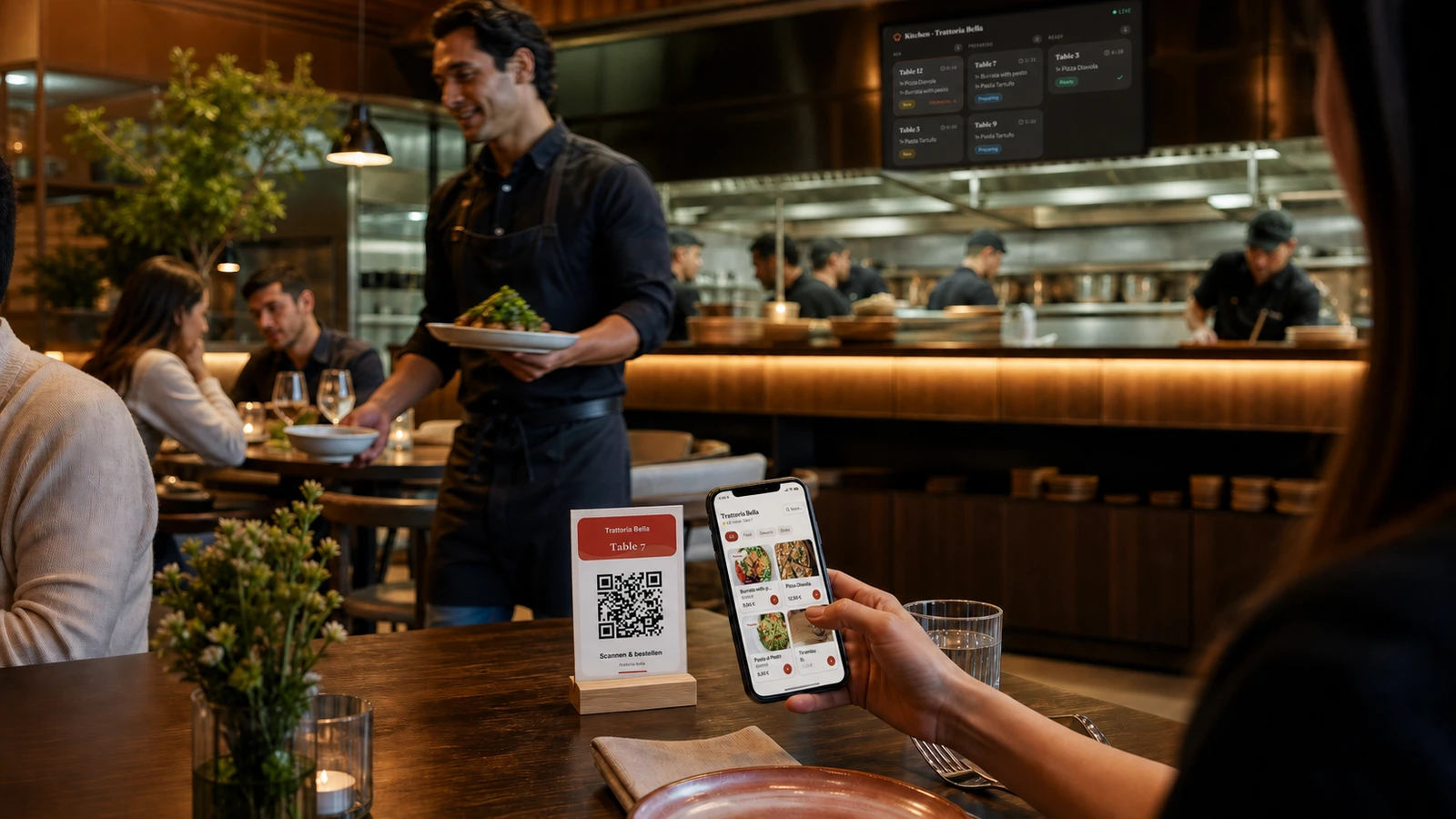
QR ordering can shorten the distance between a guest’s decision and the kitchen, but only when the whole service flow is designed as one system. A code on the table is merely an entrance. The real product includes the menu that opens, the table identity, the cart, the order confirmation, the signal to staff, the kitchen view and the way exceptions are handled. If one link is unclear, the team compensates manually and the promised speed disappears.
The goal is not to remove hospitality. It is to remove avoidable waiting: waiting for a menu, waiting to place a simple reorder or waiting while an order is copied from paper into another system. Guests should still be able to ask questions and order through a person. QR ordering works best as an additional, well-supported route rather than a barrier between the dining room and the team.
Map the complete scan-to-kitchen journey
Draw the journey before choosing table cards or devices. Give every step an owner and a visible success state. A guest needs to know that the correct table has been recognised, what can be ordered, whether payment happens now or later and whether the order was accepted. Staff need a queue they can trust, with enough context to prepare and deliver the order without asking which table sent it.
The guest scans a code assigned to the correct restaurant and table.
A fast menu opens in the restaurant’s configured language with current availability and prices.
The guest selects variants, reviews allergens, builds the cart and confirms the order.
The system creates one clear order with table, time, items, notes and a visible status.
The responsible team accepts and prepares it, while the guest receives confirmation.
Service delivers the order and closes or advances its status so nothing remains ambiguous.
Choose the waiting you want to remove
Different restaurants have different bottlenecks. A busy terrace may benefit most from drink reorders. A counter-service café may need a faster first order. A full-service restaurant may use QR ordering for lunch while keeping a traditional conversation for tasting menus. Start with one problem that is visible to both guests and staff. A narrow flow that works reliably is more valuable than a feature-rich flow that the team does not trust.
QR ordering should give guests more control and the team more focus. If it creates uncertainty about who is responsible for the next step, the process is not finished.
Make the table the unmistakable entry point
The table card has a simple job: explain what scanning does and make the code easy to use. Place it where seated guests can reach it without moving plates or leaning across the table. Use a matte, high-contrast print and enough quiet space around the code. Test every physical card after printing and after cleaning. A technically valid code is not useful if it reflects overhead light, is too small or points to the wrong table.
Pair the QR code with a short instruction and the restaurant name.
Show the table number so guests and staff can confirm the context.
Use a durable holder that can be cleaned without damaging the print.
Avoid placing multiple competing codes for menu, Wi-Fi, reviews and payment together.
Keep a documented process for replacing a lost or damaged table card.
Design the handoff to service and kitchen
Every incoming order needs an audible or visual signal, a responsible station and a response time. Decide who watches new orders during each shift and what happens when that person steps away. A kitchen or bar display should prioritise new and waiting orders without hiding older ones. The table number, time, items, variants and guest notes must be readable at a glance. More information is not always better; show what the next person needs to act.
Use statuses as promises, not decoration
Keep statuses few and operationally meaningful: new, accepted, preparing, ready or served may be enough. Define exactly who changes each one. If a guest sees an accepted state, the team must already own the order. Avoid automatic progress that looks reassuring but does not reflect reality. A truthful delay is better than a false “ready” message that sends a guest looking for food that has not left the kitchen.
Plan exceptions before opening
Consider sold-out items, duplicate scans, accidental orders for another table, allergy questions, changes after submission, poor connectivity and a device that loses power. Give staff a simple recovery path and permission to switch to personal service. The digital route must never trap a guest. Clear help text and an attentive team turn an exception into a normal service moment instead of a technical dispute.
Common QR ordering mistakes
Opening a large PDF that requires zooming instead of a mobile menu
Using one generic code and asking the guest to type the table number
Sending orders to a screen nobody owns during a busy shift
Letting unavailable dishes remain orderable until staff reject them
Forcing account creation before a guest can browse or order
Removing all visible ways to ask a person for help
Launching across the whole venue without testing one service zone first
Run a controlled pilot
Choose a small set of tables and one menu period. Brief the team before service, place a named person near the new-order queue and keep a written fallback. During the pilot, record every question and manual correction. Review the flow after the shift while details are fresh. Fix unclear copy, missing variants and notification problems before increasing the number of tables.
Test each table code, the configured menu language and every order destination before opening.
Place a real test order with a variant, note and unavailable-item scenario.
Confirm that kitchen, bar and service understand their handoff points.
Ask several guests what they expected before and after pressing the final button.
Expand only after the team can recover from common exceptions without improvising.
Measure operational confidence
Useful indicators include time from submission to acceptance, frequency of rejected or corrected orders, repeated guest questions, drink reorder time and the share of orders that require manual recovery. Compare similar services rather than chasing one impressive day. The strongest signal is behavioural: staff stop checking whether the system worked because the queue and statuses consistently tell the truth.
A reliable QR ordering flow becomes almost invisible. Guests get a quick route when they want it, staff spend less time on routine transcription, and the kitchen receives complete orders with clear table context. Keep the human option, test the physical touchpoints and make every status accountable. That is how a small code on a table becomes a genuine service improvement.
See how Machbaro connects the journey from QR scan to service.
Ready to test the workflow in your restaurant? Register your restaurant with Machbaro.