How to Build a Digital Menu Guests Actually Use
A practical guide to planning, writing and launching a digital restaurant menu that helps guests choose confidently and keeps service running smoothly.
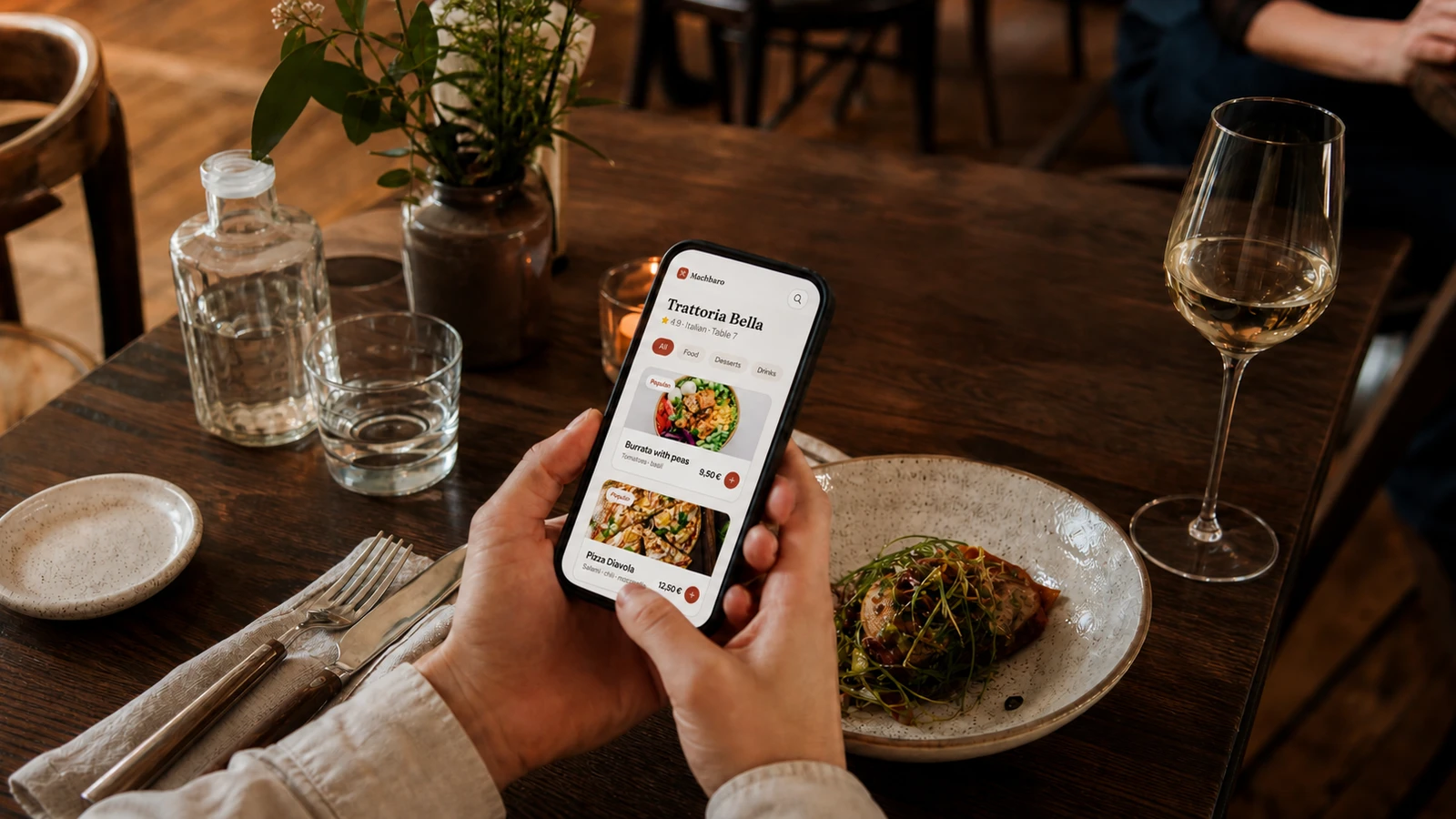
A digital menu is not simply a printed menu placed on a screen. It is a decision-making tool used by hungry guests, often on a small phone, in imperfect light and with limited patience. When it works well, people understand the offer quickly, find the right dish and order with confidence. When it works badly, beautiful photography cannot rescue unclear categories, missing allergen information or a page that takes too long to load.
The best place to begin is not with colours or animations, but with the questions guests ask at the table. What is available now? What is suitable for me? How much does it cost? What will arrive on the plate? A useful digital menu answers these questions in the same order in which they appear. This guide turns that principle into a practical structure a restaurant team can build and maintain.
Start with the job your menu must do
Your menu has two audiences. Guests need a calm and understandable path to a choice. The team needs information that stays accurate throughout service. A design that impresses on launch day but requires a developer to change a price will soon become unreliable. Define the operational rules first: who updates dishes, how sold-out items are handled, which restaurant language is used and which details are mandatory before a dish goes live.
Show only dishes that can actually be ordered, or mark temporary unavailability clearly.
Keep prices, sizes and optional extras beside the dish instead of hiding them later in the flow.
Make allergen and dietary information easy to find without turning it into a visual obstacle.
Let guests return to categories and their cart without losing their place.
Give the restaurant team one obvious source of truth for every change.
Design information before decorating the screen
A guest should understand the shape of the menu after one short scroll. Begin with familiar categories and the order in which people normally choose: starters, main courses, sides, desserts and drinks. A café may lead with breakfast and coffee; a bar may lead with signature drinks and snacks. Avoid internal kitchen language and do not create a category for every small distinction. Too many choices at the first level make every later choice harder.
Write dish names and descriptions for scanning
Use a recognisable dish name first, followed by the details that change the decision. Ingredients, cooking method, important accompaniments and portion cues are useful. Empty adjectives such as “amazing” or “best ever” are not. Keep the first sentence compact enough to scan and place optional storytelling after the essentials. If a regional dish may be unfamiliar, explain what it is rather than assuming the guest already knows.
Treat price and dietary details as core content
Prices should use one consistent format. Variants must explain what changes: size, quantity, base ingredient or preparation. Dietary labels should follow a small controlled vocabulary, and allergen declarations must reflect the restaurant’s verified recipe information. A digital menu can make these details more accessible, but it cannot replace the team’s food-safety process or a conversation when cross-contamination is a concern.
Use photography selectively
A strong photo sets an honest expectation. Use the dish that guests will actually receive, photographed in the restaurant’s normal plating style. Keep lighting, crop and background consistent across the menu. If only a few professional images are available, use them for signature dishes instead of mixing them with dark or heavily filtered phone photos. No photo is better than a misleading one.
Prepare the menu for real service
Build a small complete version before importing the whole menu. Test it on an ordinary phone over mobile data, not only on a fast office connection. Ask someone who did not write the menu to find a vegetarian main course, identify an allergen, change a variant and return to the cart. Every hesitation is useful evidence. Fix the path before adding more dishes.
Choose the menu structure and assign one owner for content accuracy.
Add one complete category with final names, prices, descriptions and allergens.
Check the menu on different screen sizes and in the restaurant’s real lighting.
Train the service team to explain the digital flow and offer a human alternative.
Launch during a quieter service, collect questions and correct unclear content immediately.
Measure clarity, not novelty
A digital menu succeeds when it removes friction. Watch for repeated questions, abandoned carts, items guests frequently open but rarely choose, and dishes that create modification requests after ordering. Speak with the team: they notice confusion before analytics does. Review the menu after price changes, seasonal updates and recipe changes, and schedule a short content audit rather than waiting for guests to report errors.
Can a first-time guest reach a suitable dish in under a minute?
Are sold-out items and current prices accurate throughout the service?
Do the most common dietary questions have visible answers?
Can staff update the menu without creating a second unofficial version?
Digital menu launch checklist
Clear categories in a familiar order
Consistent names, prices and portion information
Verified allergens and useful dietary labels
Fast, honest and consistently cropped photos
Readable layout with comfortable tap targets
A working fallback for guests who need assistance
A named team member responsible for ongoing updates
A good digital menu feels less like software and more like an attentive member of the service team: clear, current and helpful at the right moment.
Start small, make every dish complete and let real service guide the next improvement. Once the content is trustworthy, digital delivery makes seasonal changes and table ordering far easier to manage. The technology matters, but the lasting advantage comes from giving every guest a clearer route from curiosity to a confident order.
See how Machbaro connects the journey from QR scan to service.
Ready to test the workflow in your restaurant? Register your restaurant with Machbaro.